How to add a trade by hand
Record a stock, call or put yourself, so it counts in your P&L, calendar and strategies.
5 steps · 29-second video · works on the web and on iPhone
29 seconds, captions on screen
- 1
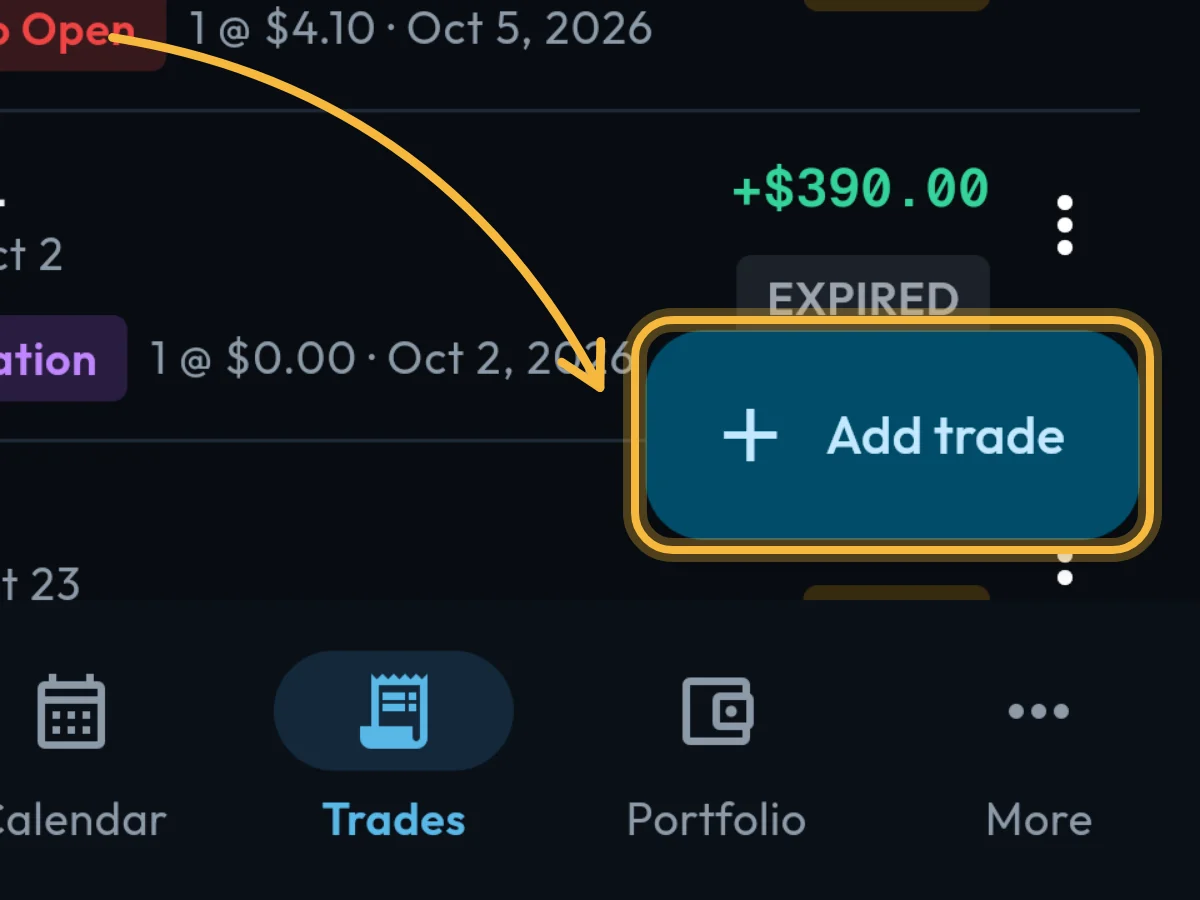
Open Trades and tap Add trade, at the bottom right.
- 2
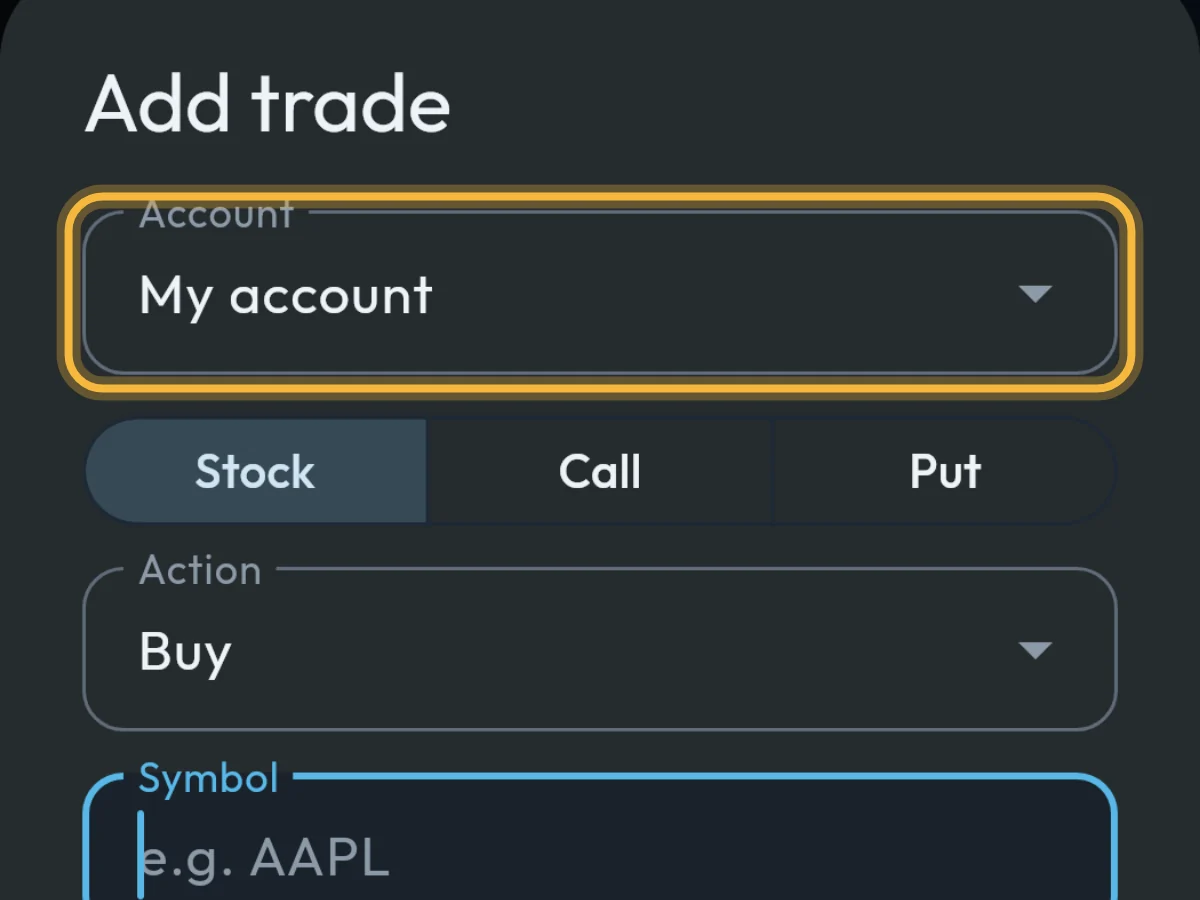
Pick the Account the trade belongs to.
- 3
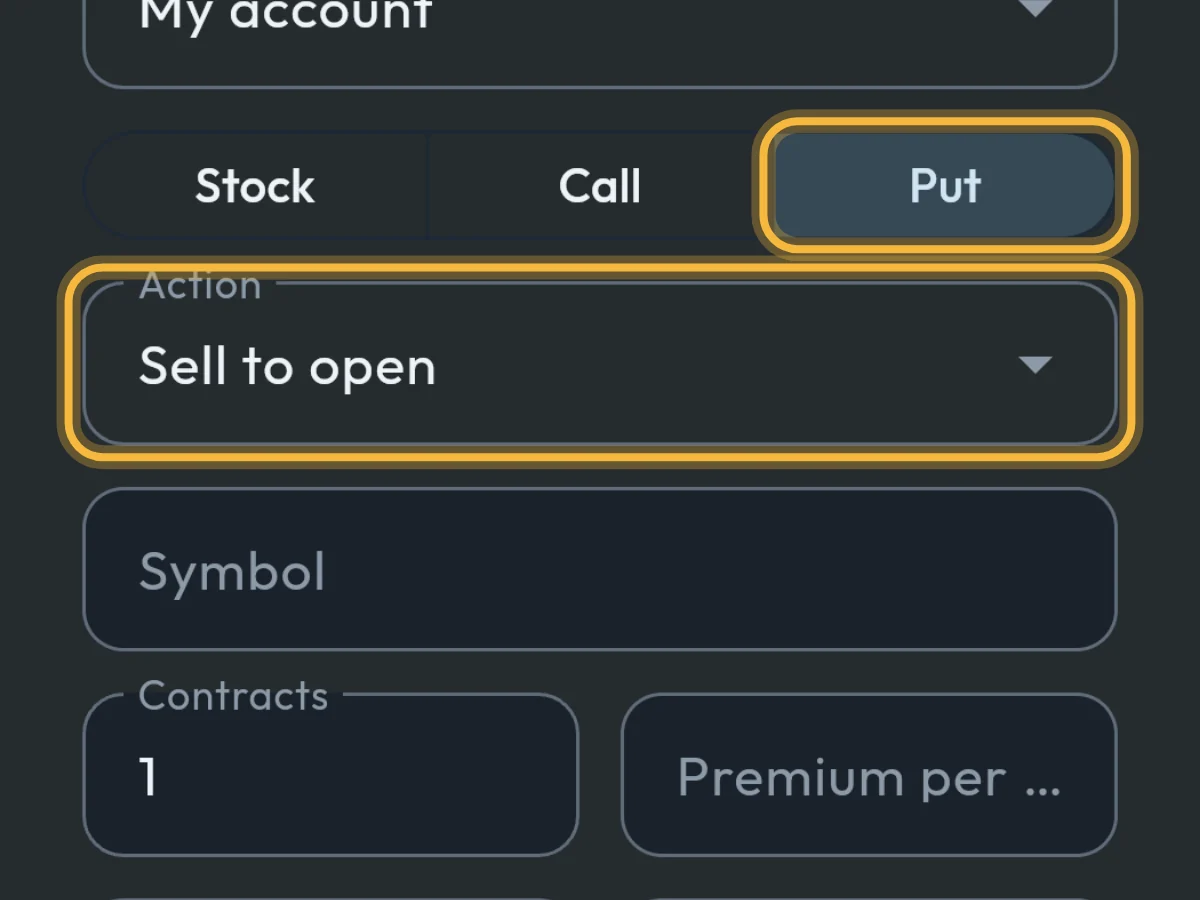
Choose Stock, Call or Put, then the Action. A put you sold is Sell to open.
- 4
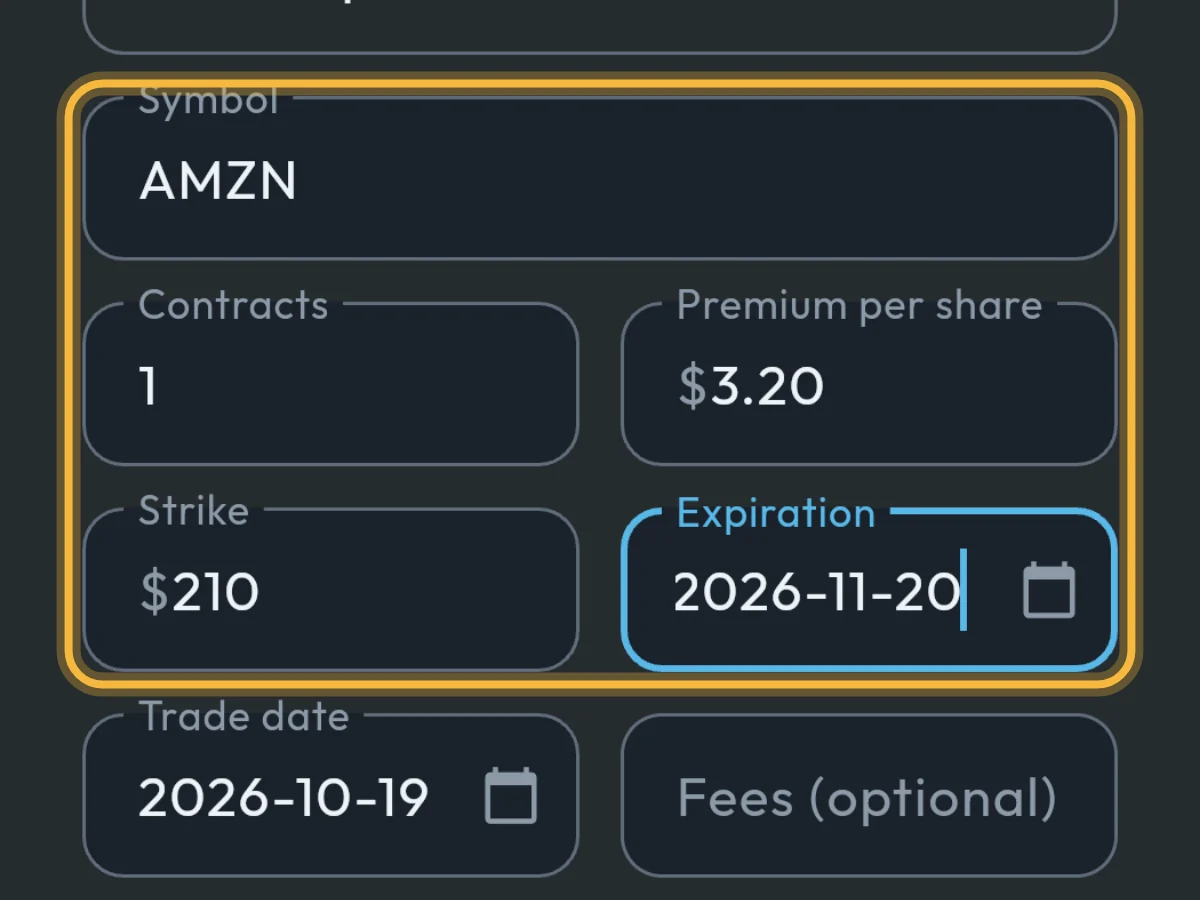
Fill in Symbol, Contracts, Premium per share, Strike and Expiration.
- 5
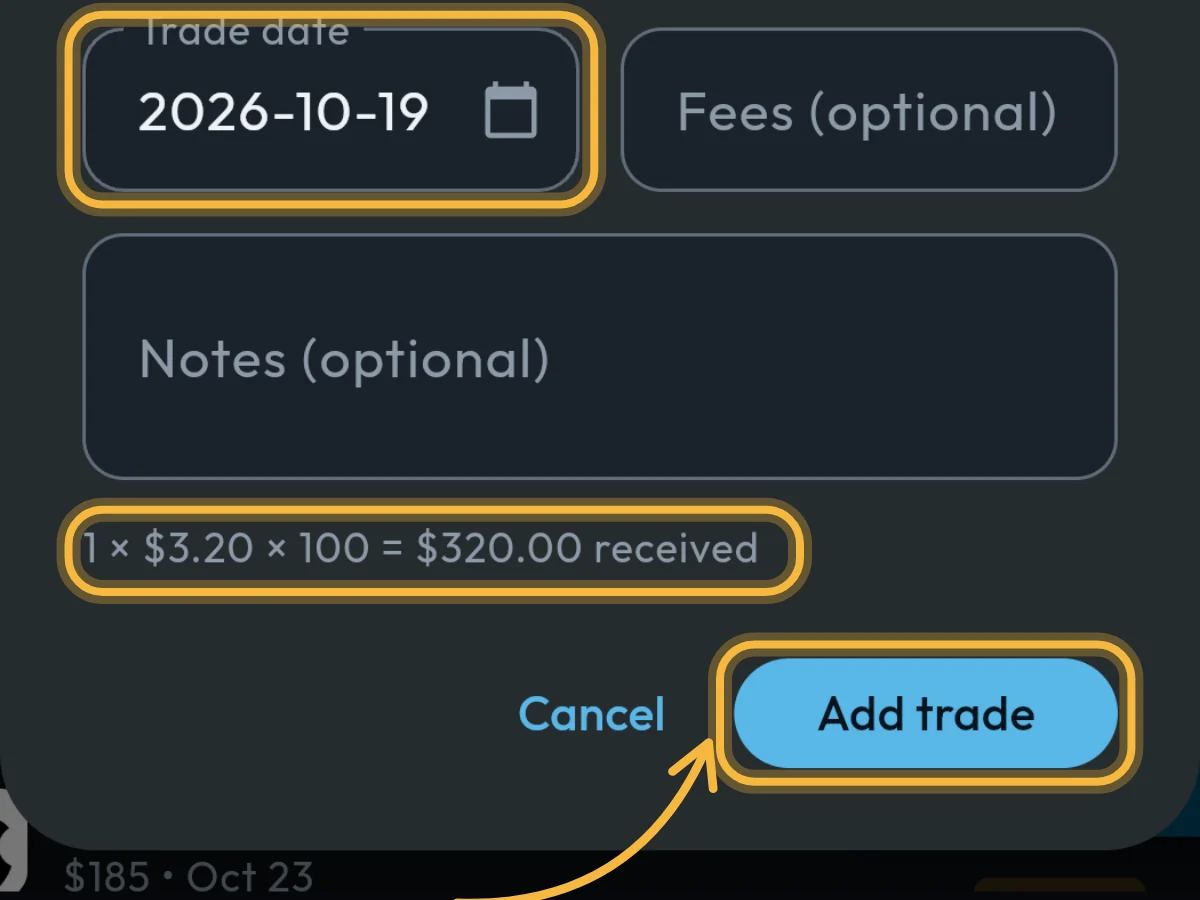
Check the Trade date, add Fees if you paid any, and tap Add trade. The line above the button shows what you received.
What you'll see
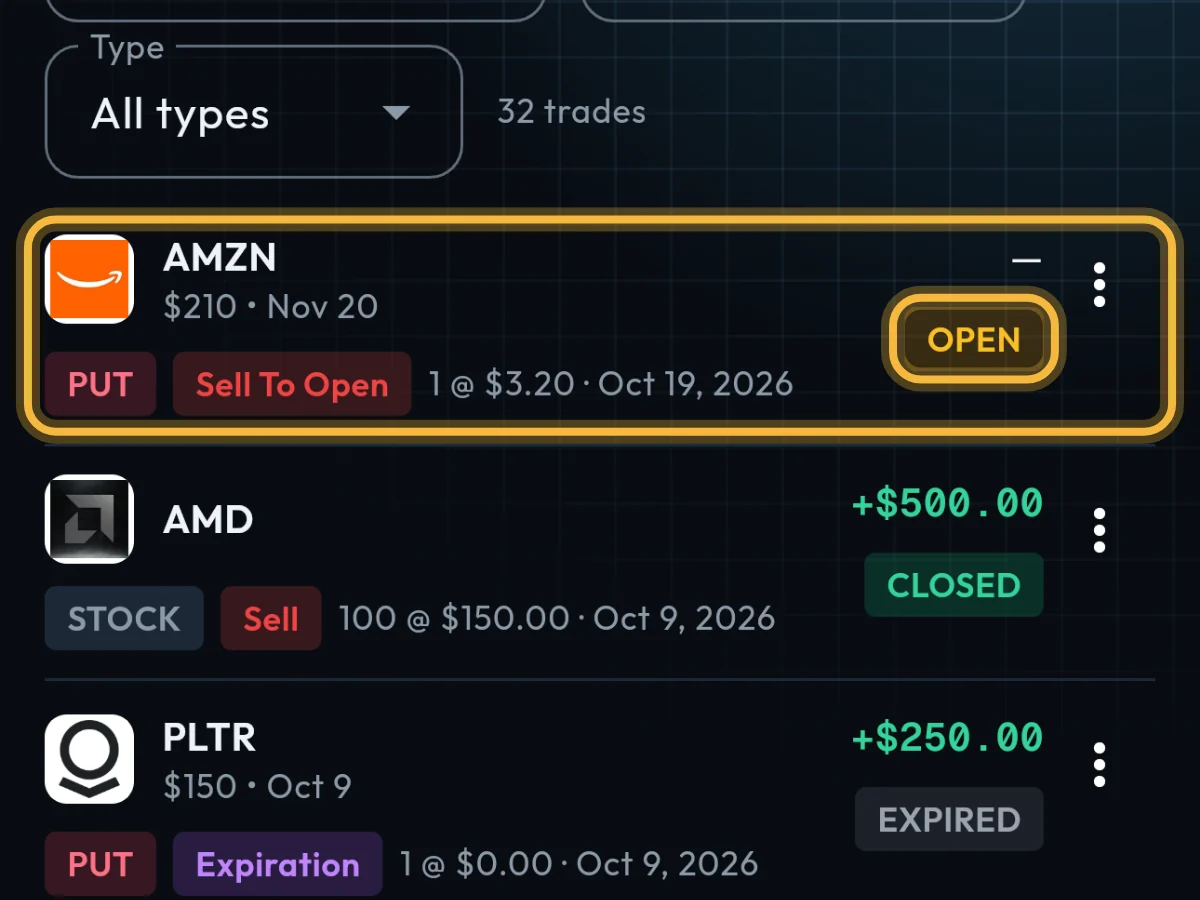
The trade appears at the top of Trades, marked Open.
- Premium is per share, the way your broker quotes it: $3.20, not $320.
- The free plan includes 50 hand-entered trades a month.
Questions
Can I change or remove a trade after adding it?
Yes. Tap ⋮ on its row, then Edit or Delete. Trades synced from a broker can’t be edited or deleted.
What do I do when the option expires or is assigned?
Tap ⋮ on its row and choose Mark as expired or Mark as assigned. Its profit then shows on your dashboard and calendar.
Do trades I enter join my strategies?
Yes. On the Strategies screen, tap Find strategies to group them into covered calls, cash-secured puts and wheels.
Still stuck?
Write to us and say which step went wrong.