How to add an account
Make an account for trades you enter by hand or import, such as a Roth IRA, and keep each one apart.
4 steps · 23-second video · works on the web and on iPhone
23 seconds, captions on screen
- 1
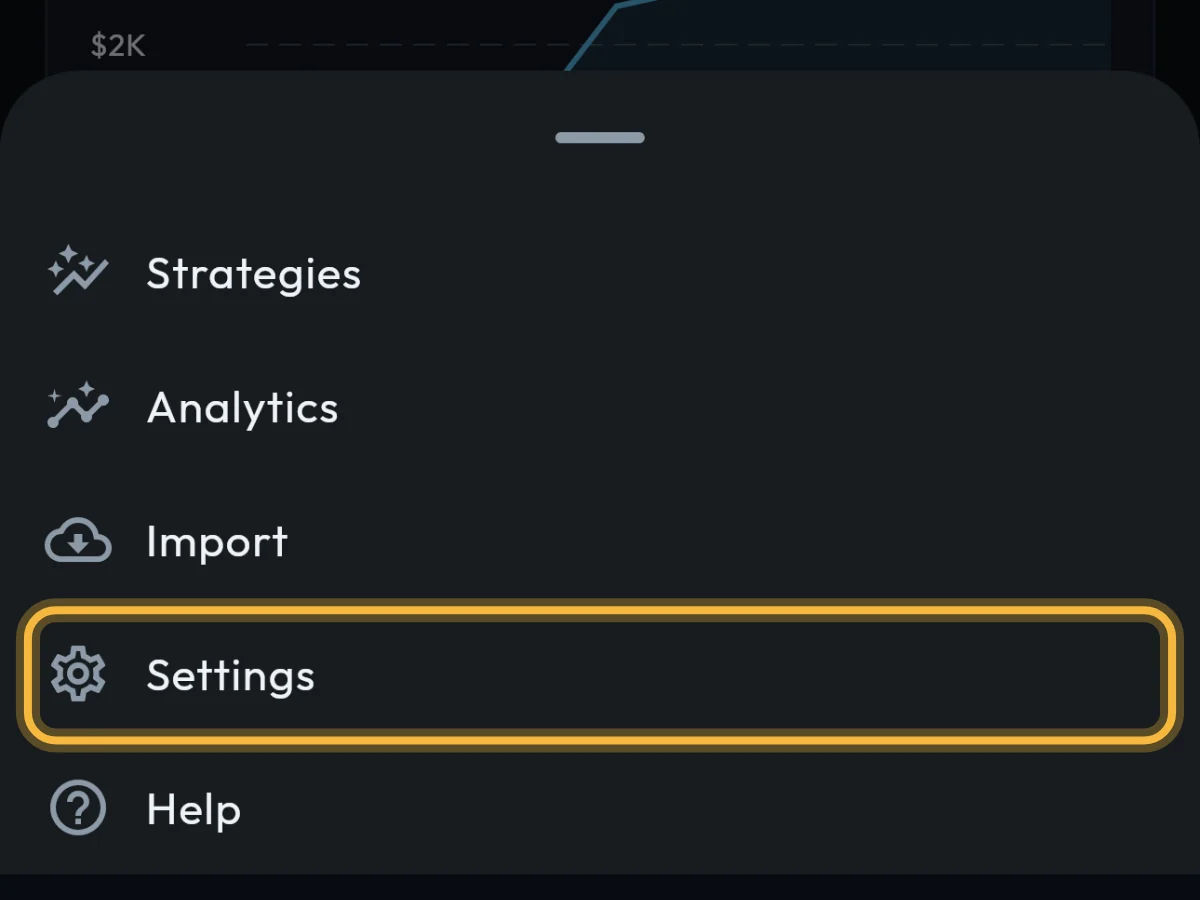
Tap More, then Settings. On a computer, Settings is in the menu on the left.
- 2
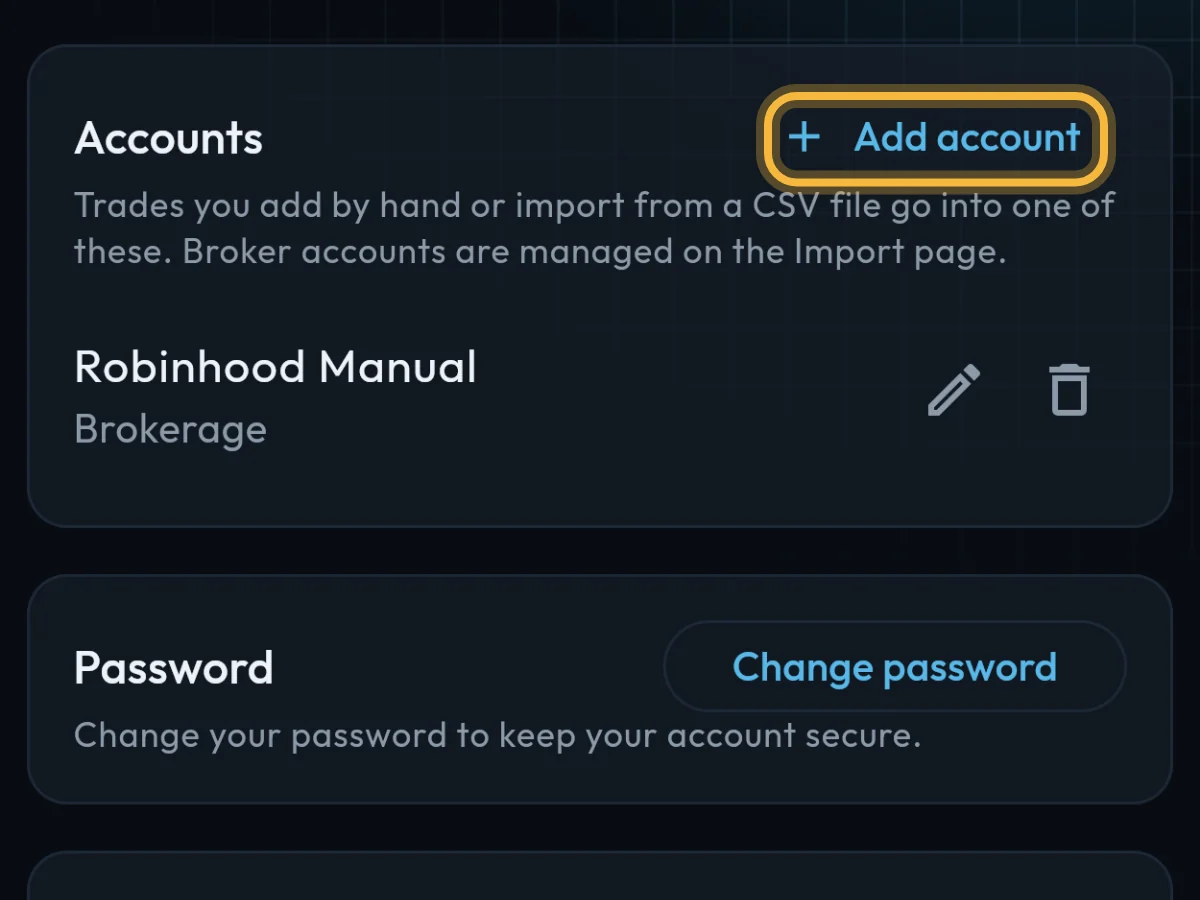
Scroll to Accounts and tap Add account.
- 3
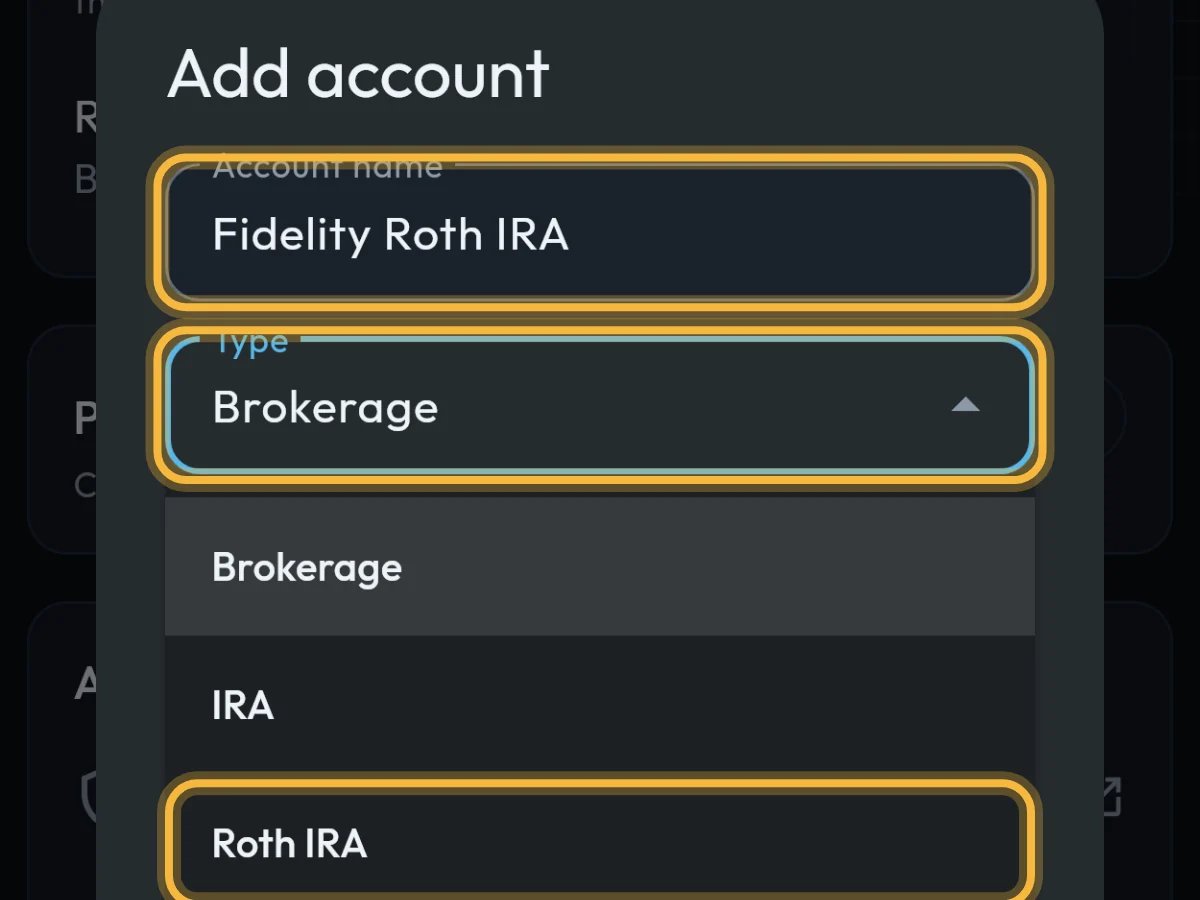
Type a name, for example Fidelity Roth IRA, and choose its Type: Brokerage, IRA, Roth IRA, 401(k), Roth 401(k) or Other.
- 4
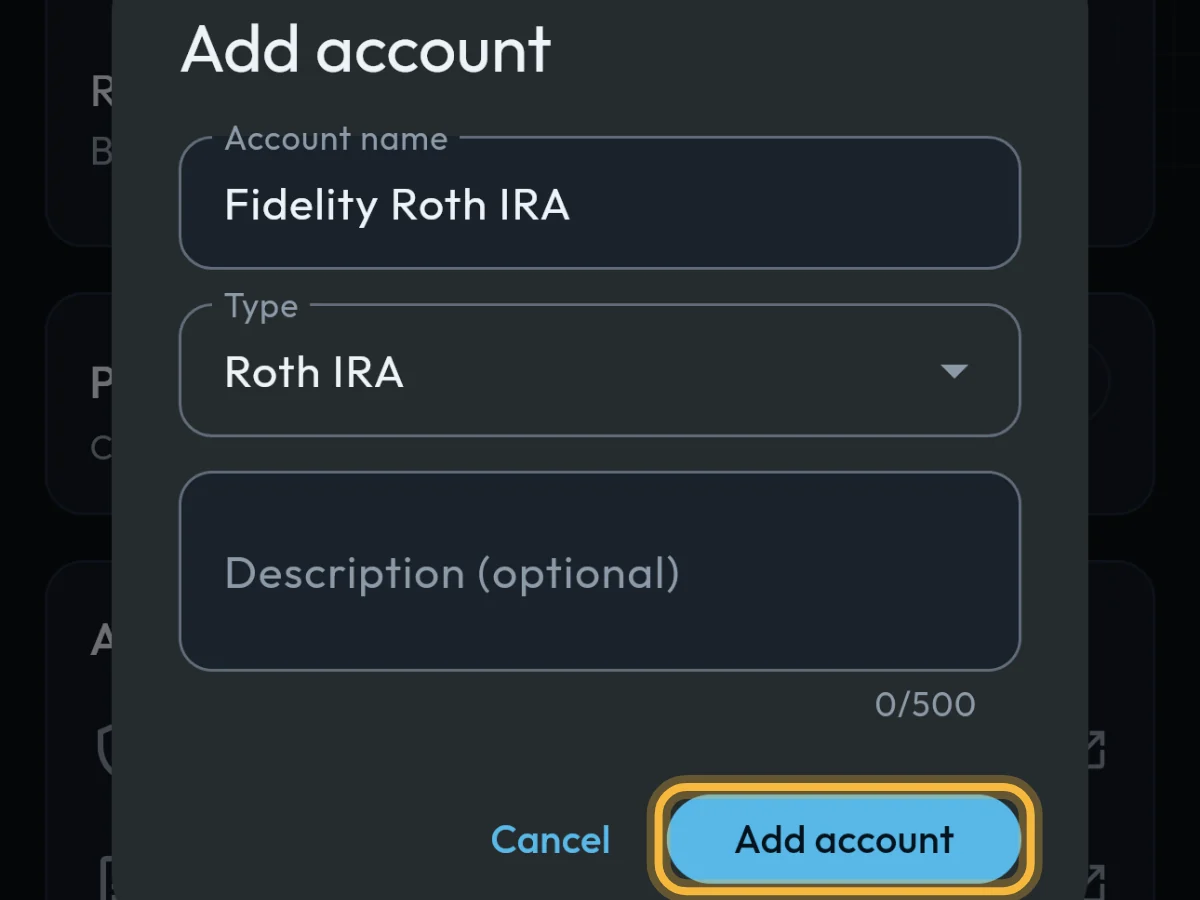
Add a description if you like, then tap Add account.
What you'll see
The account appears under Accounts. Pick it when you add a trade or import a CSV file.
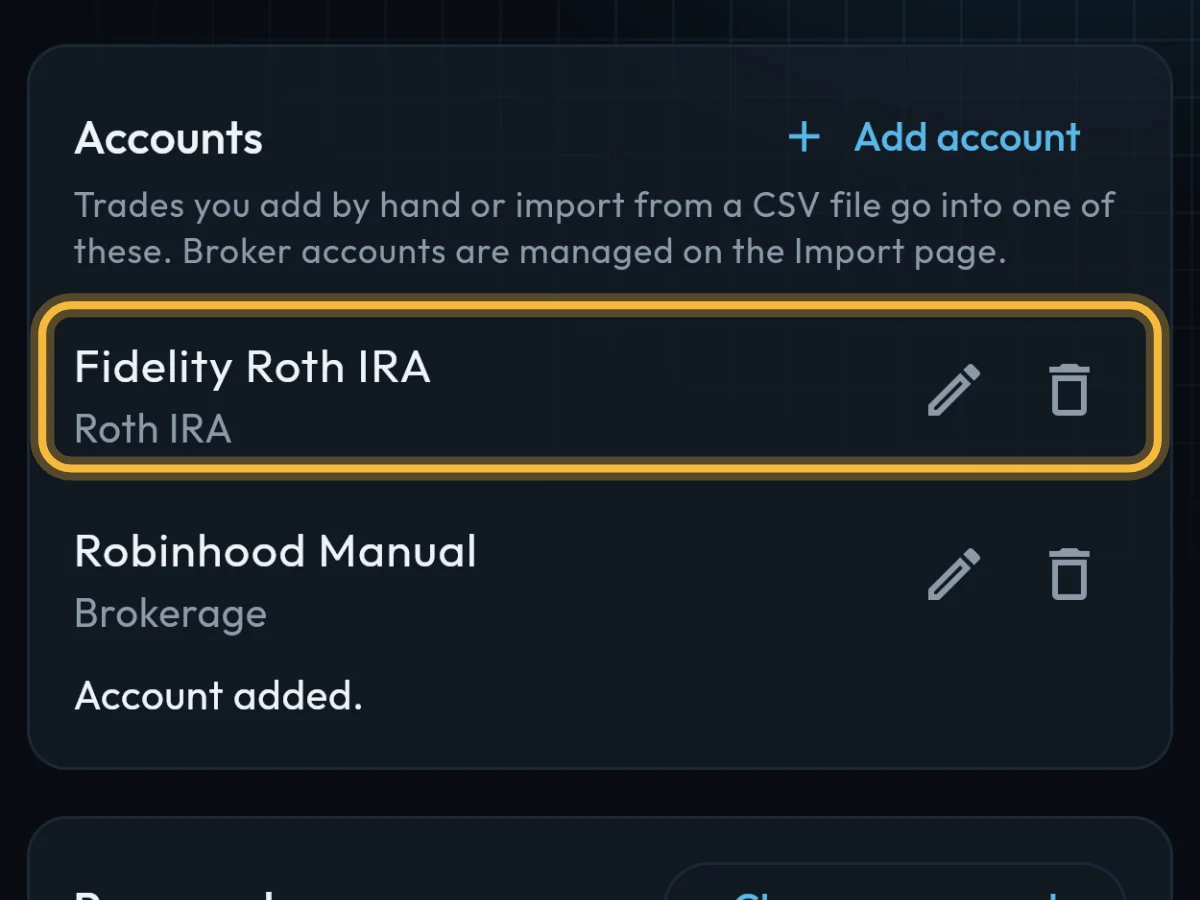
- These accounts hold trades you add by hand or import. Accounts from a connected broker appear on their own and are managed on Import.
- With more than one account, you can view one at a time: tap the account name under the page title on a phone, or the account menu at the top right on a computer.
Questions
Can I rename an account?
Yes. In Settings › Accounts, tap the pencil next to it.
What happens to trades if I delete an account?
Your trades stay in your journal; they just no longer belong to that account.
Do I need an account before adding a trade?
Yes, but if you have none, Add trade offers to make one for you.
Still stuck?
Write to us and say which step went wrong.